![NextPatient_Logo_RGB_Charcoal (2).png]](https://help.nextpatient.co/hs-fs/hubfs/Logos/NextPatient%20Logos/NextPatient_Logo_RGB_Charcoal%20(2).png?height=31&name=NextPatient_Logo_RGB_Charcoal%20(2).png)
Users with Admin Access in NextPatient can create new user accounts, assign permission levels, and manage access across multiple practice locations.
Add a new user
- Log in to your NextPatient account.
- Select the practice location where you'd like to add the user.
- Navigate to Settings > Permissions.
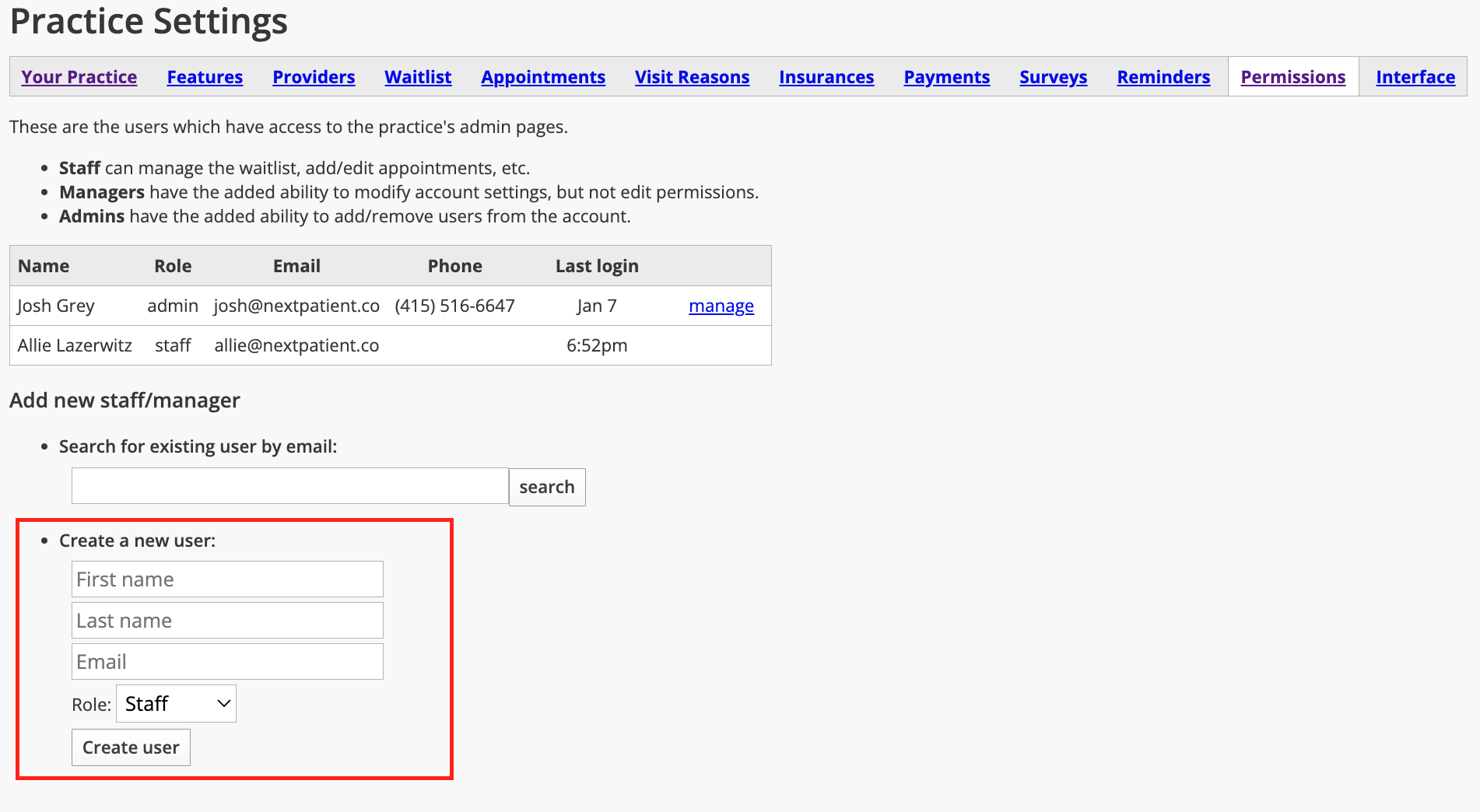
- Locate the option to create a new user.

Enter the following information for the new user:
- First Name
- Last Name
- Email Address
- Role
Choose a permission level
NextPatient offers three user roles:
- Admin: Full access to the NextPatient account, including all settings and user management.
- Manager: Access to settings, but cannot add or remove users.
- Staff: Access to everyday NextPatient functionality without access to the Settings section.
Select the role that best matches the user's responsibilities at your practice.
Once you've entered their information and selected a role, click Create User.
Give a user access to multiple locations
If your practice has multiple locations, you can give a user access to more than one location without creating a separate account for each.
From Settings > Permissions, locate the user and click Manage next to their name.

On the user's permissions screen, select the locations they should have access to and assign the appropriate role at each location.
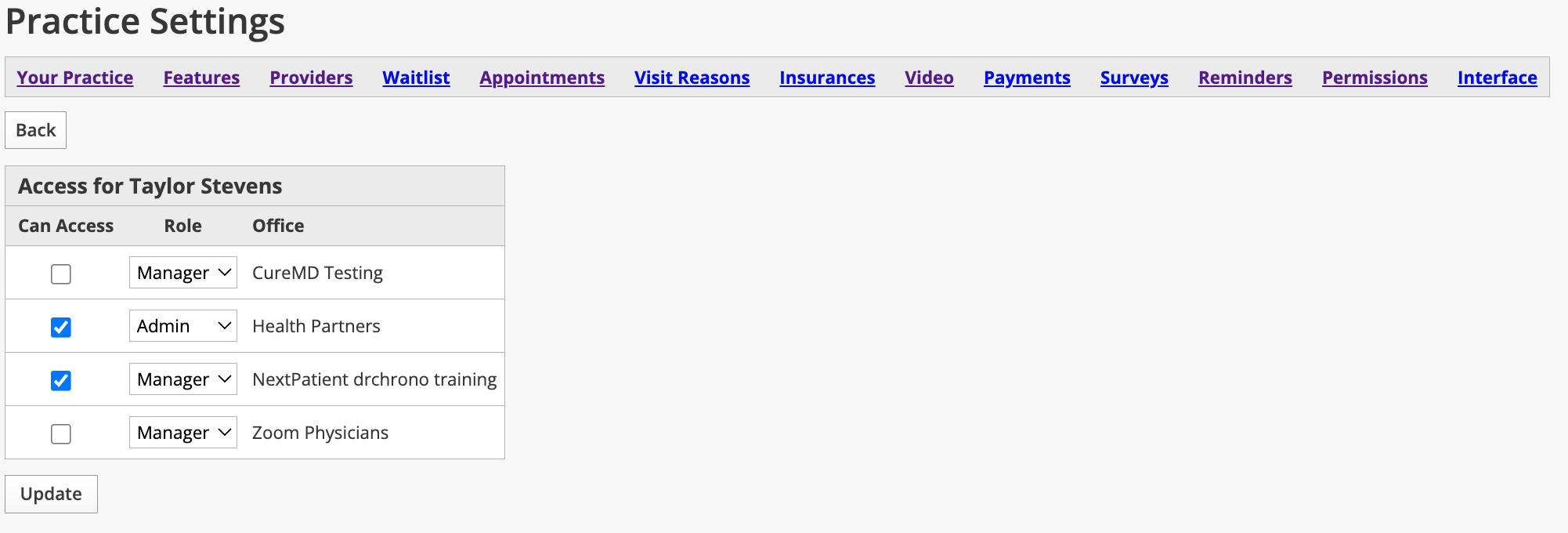
Note: Users can have different permission levels at different locations. For example, someone may have Admin access at one location and Staff access at another.
Missing a practice location? If a user can't see an expected location when logging in to NextPatient, they may not have been granted access to it yet. Each user must be assigned permissions for every location they need to access.
For additional guidance, see Give a user access to another location.
Help new users log in
Once you've created their account and assigned the appropriate permissions, the new user can set up their login credentials.
Share our Log in to NextPatient for the first time article for step-by-step instructions on creating a password and accessing their account.
For account security, each team member should have their own login credentials rather than sharing an account.
Need help?
If you have questions about user permissions, managing access across locations, or creating new accounts, please contact your Customer Success Manager or email help@nextpatient.co.