![NextPatient_Logo_RGB_Charcoal (2).png]](https://help.nextpatient.co/hs-fs/hubfs/Logos/NextPatient%20Logos/NextPatient_Logo_RGB_Charcoal%20(2).png?height=31&name=NextPatient_Logo_RGB_Charcoal%20(2).png)
Linking Google reviews to patient visits in NextPatient allows you to better understand your patient feedback and get more detailed insights from your Reviews Received report.
Once reviews are linked to visits, you can analyze your review activity by provider, appointment type, appointment date, and more.
Find your Google reviews
- Log in to your NextPatient account.
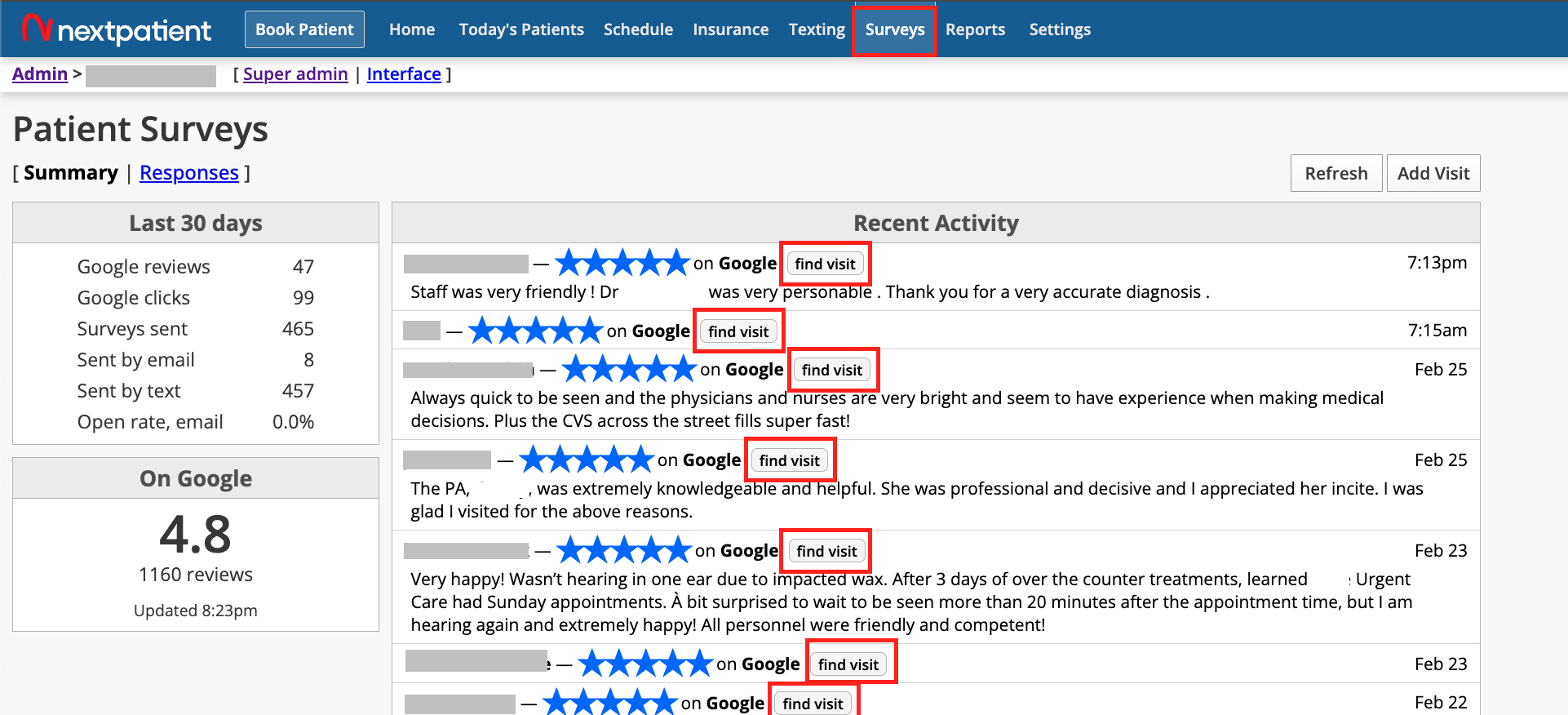
- Navigate to the Surveys tab.
- In the Recent Activity section, locate the Google review you'd like to link to a patient visit.
- Click Find Visit next to the review.
Note: Your Google Business Profile must be connected to NextPatient to display your Google reviews. If you haven't connected it yet, see Connect your Google Business Profile.
Match a review to a patient visit
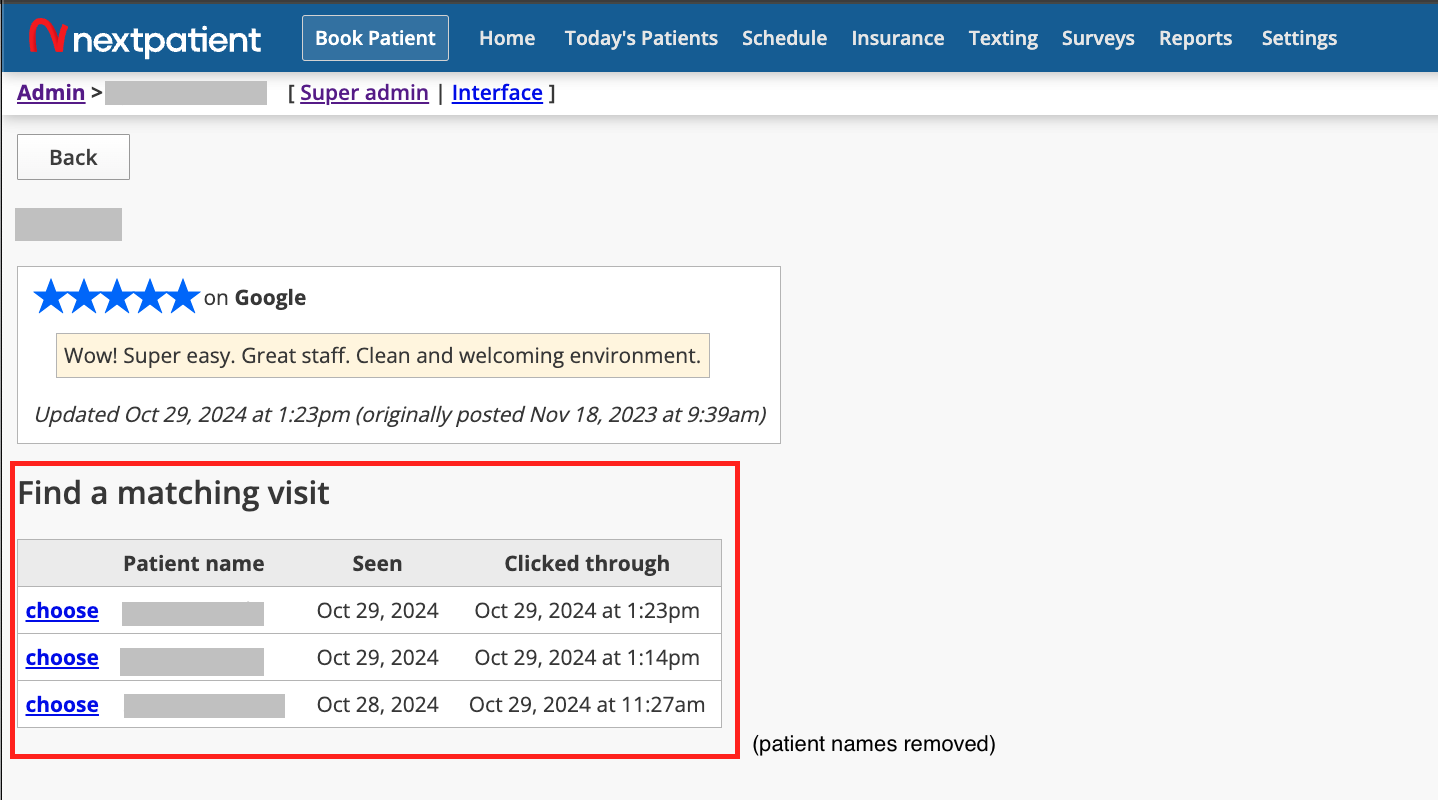
After clicking Find Visit, NextPatient displays a list of potential patient matches.
These suggestions are based on patients who clicked a review request link around the time the Google review was posted.
Keep in mind that the reviewer's Google account name may differ from the patient's name in NextPatient. For example, a parent may leave a review after their child's appointment, or a patient may use a different name on Google.
- Review the suggested patient visits.
- Identify the visit associated with the Google review, if you can confidently determine a match.
- Select the appropriate visit to link it to the review.
Important: Suggested matches are not confirmed identities. Only link a review to a visit when you have enough information to identify the correct match.
What if there are no potential matches?
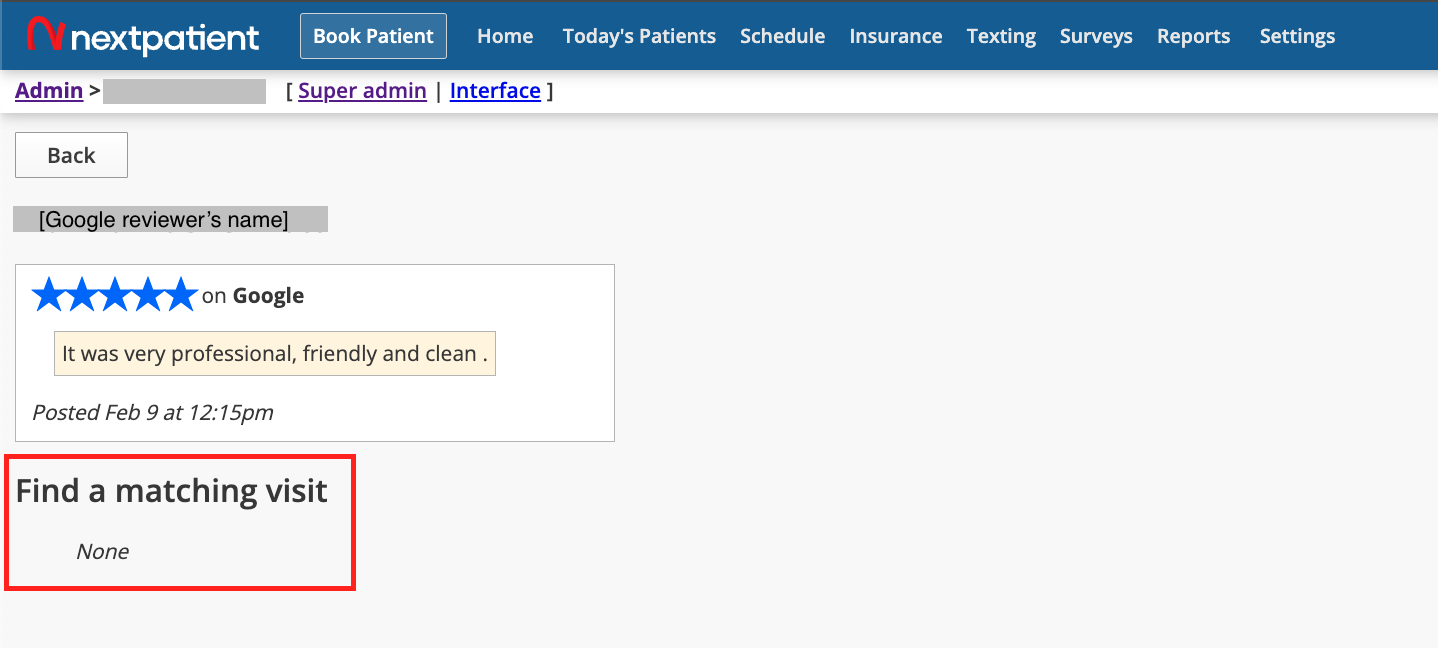
Some Google reviews may not have any suggested patient matches.
This can happen when a reviewer visits your Google Business Profile directly rather than following a review request link sent through NextPatient.
It may also happen when NextPatient cannot identify review-link activity associated with the review.
If no reliable match is available, you can leave the review unlinked.
Analyze your linked reviews in reports
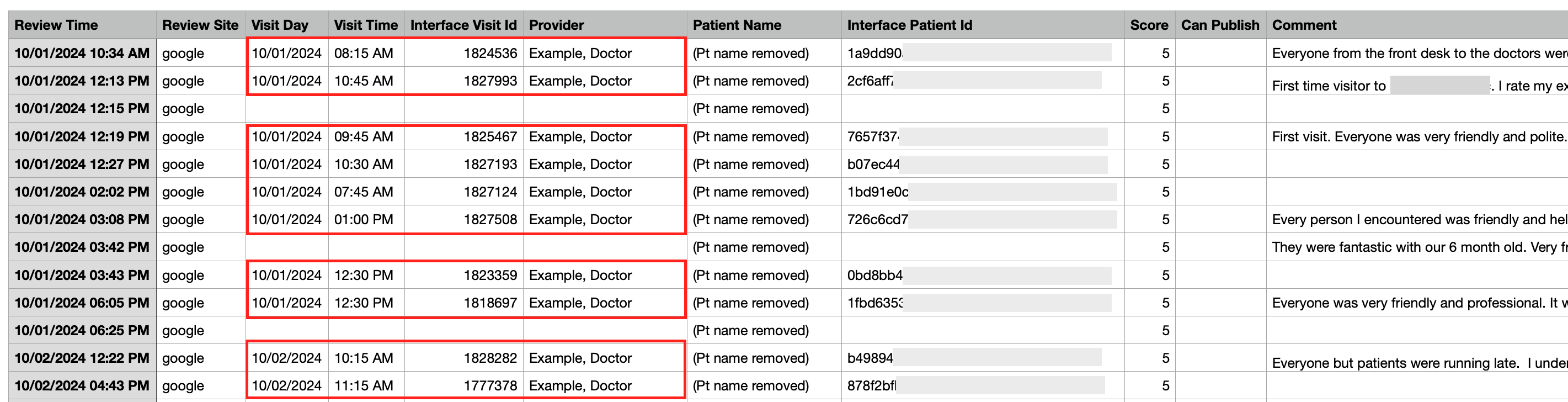
Once you've linked Google reviews to patient visits, additional visit information becomes available in your Reviews Received report.
To access the report:
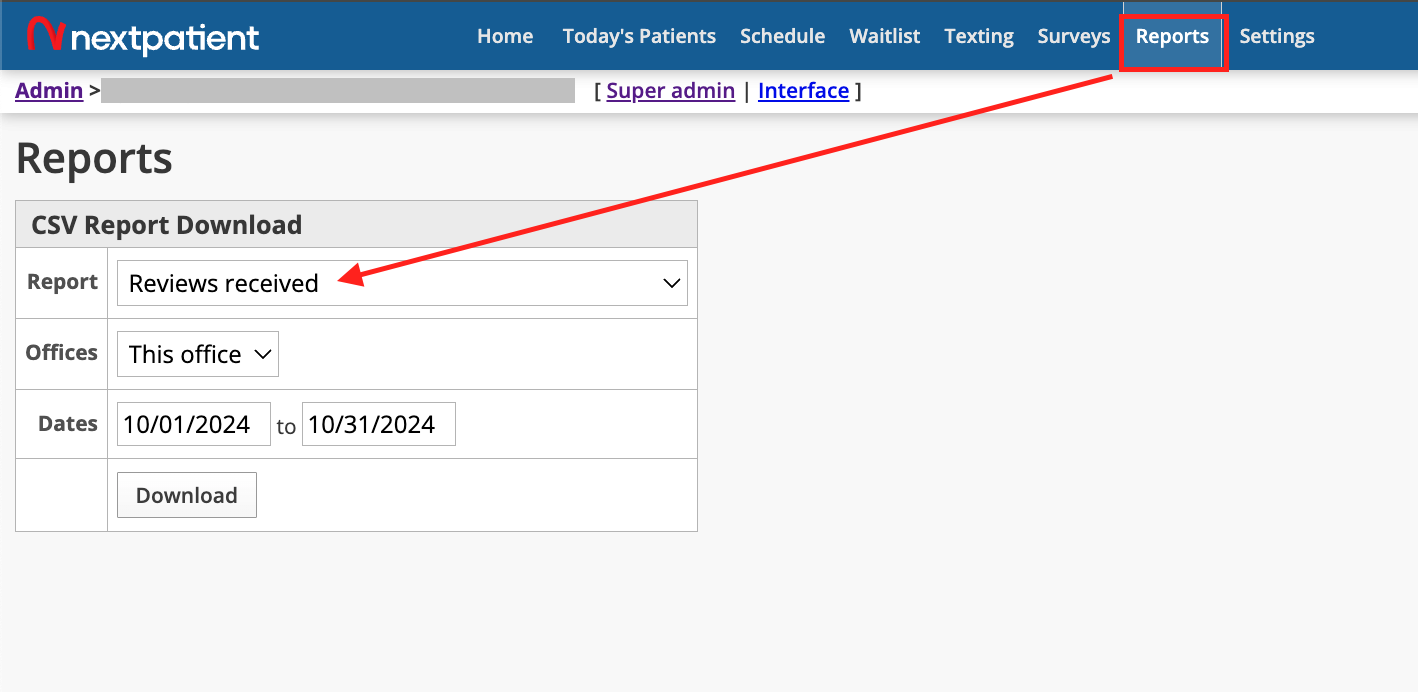
- Navigate to the Reports tab in NextPatient.
- Select Reviews Received.
- Choose your desired date range.
- Export the report as a CSV file for further analysis.
For linked reviews, the report can include additional details such as the associated provider, appointment type, and appointment date.
This helps your practice analyze patient feedback across different providers and visit types.
For more information about available report fields, see Report types and how to download them.
Need help?
If you have questions about matching Google reviews to patient visits or accessing your review reports, please reach out to your Customer Success Manager.