![NextPatient_Logo_RGB_Charcoal (2).png]](https://help.nextpatient.co/hs-fs/hubfs/Logos/NextPatient%20Logos/NextPatient_Logo_RGB_Charcoal%20(2).png?height=31&name=NextPatient_Logo_RGB_Charcoal%20(2).png)
-
Log into NextPatient
-
Navigate to the ‘Today’s Patients' tab

-
Locate the patient
-
Use the arrows and/or calendar button to navigate to another day if needed

-
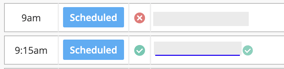
A green check mark indicates the patient has completed their check-in steps
-
-
Click the patient's name to be taken to their profile
-
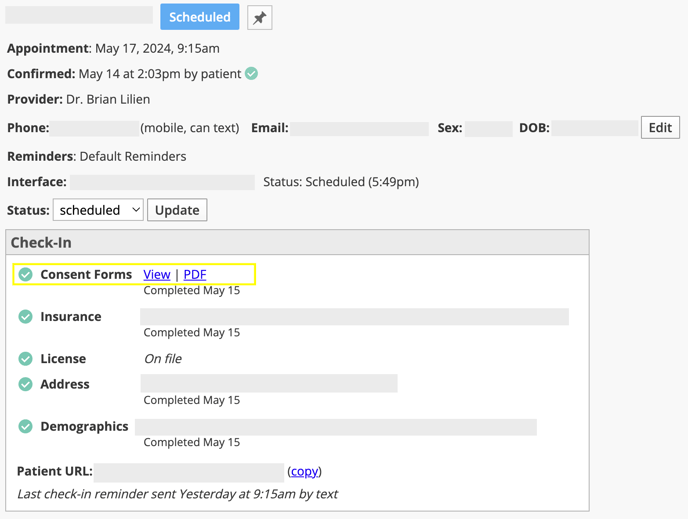
Locate the ‘check-in’ section
-
Click the ‘PDF’ link next to the consent forms
-
The forms will open in a new tab, where you can download them as a pdf