![NextPatient_Logo_RGB_Charcoal (2).png]](https://help.nextpatient.co/hs-fs/hubfs/Logos/NextPatient%20Logos/NextPatient_Logo_RGB_Charcoal%20(2).png?height=31&name=NextPatient_Logo_RGB_Charcoal%20(2).png)
If you have certain Providers who can't be booked for certain Appointment Types this article will outline the simple process to solve this.
First need to log in to your NextPatient account at nextpatient.co/admin then go to the Settings > Visit Reasons tab.

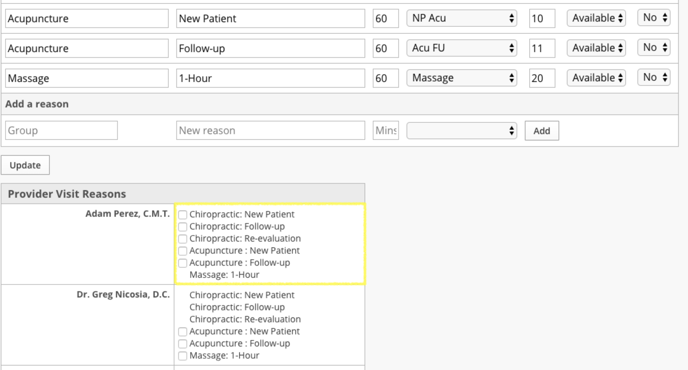
All you need to do is check the boxes for the Appointment types that the Provider can be booked for.
Once this is complete, click Update and you're done!