![NextPatient_Logo_RGB_Charcoal (2).png]](https://help.nextpatient.co/hs-fs/hubfs/Logos/NextPatient%20Logos/NextPatient_Logo_RGB_Charcoal%20(2).png?height=31&name=NextPatient_Logo_RGB_Charcoal%20(2).png)
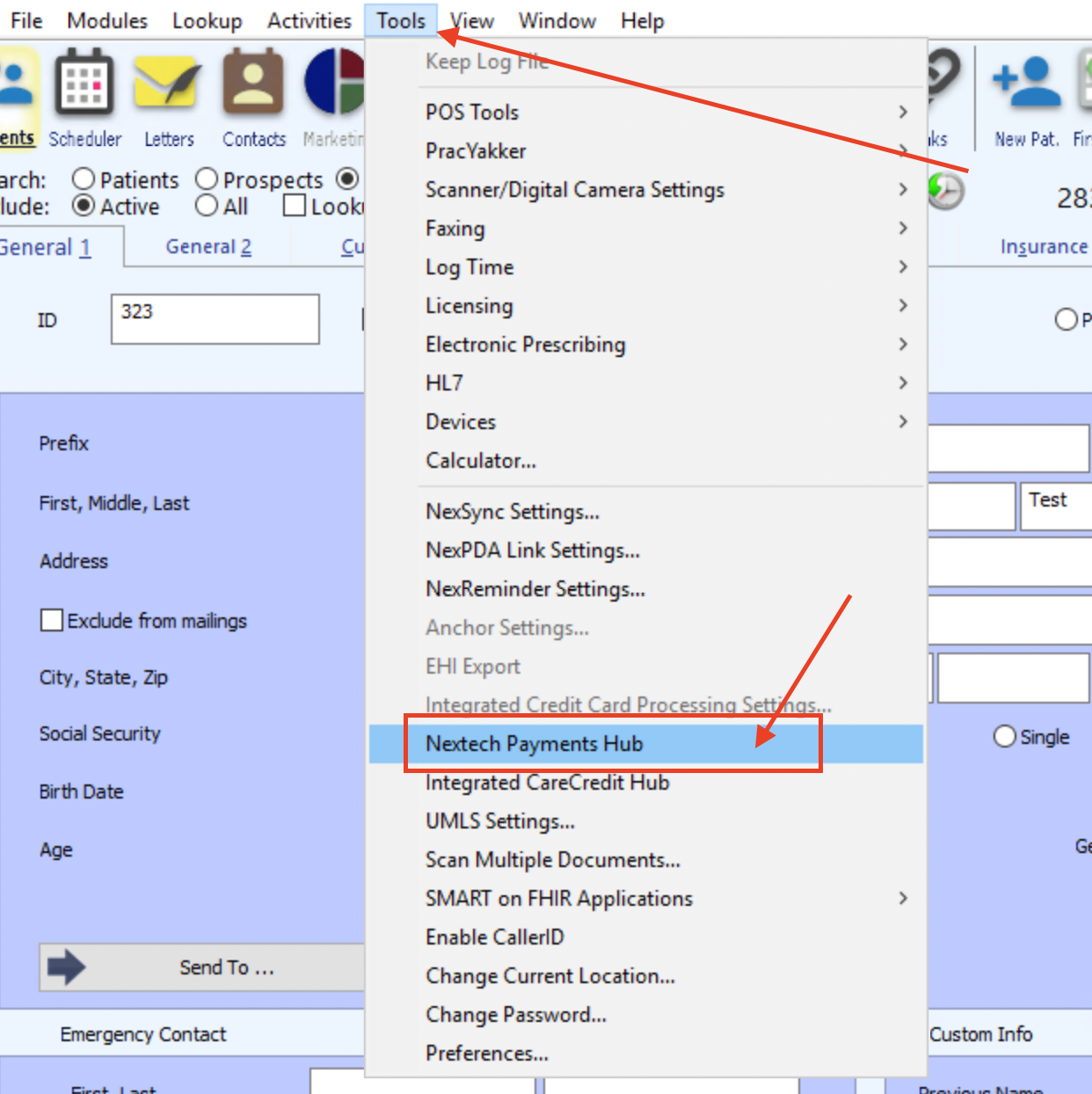
Step 1: In Nextech Select, go to Tools -> Nextech Payments Hub
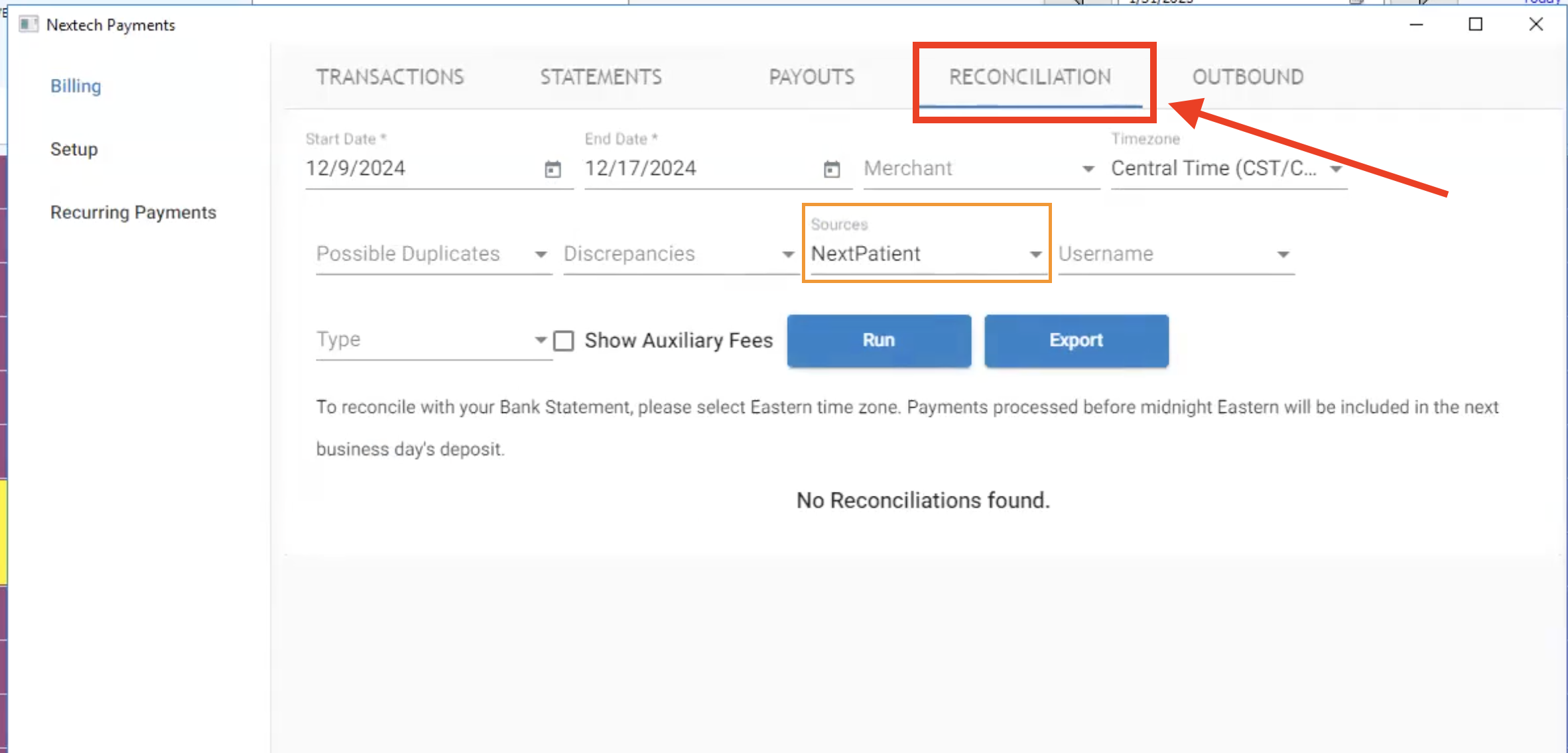
Step 2: Go to the Reconciliation tab in the Payments Hub window. Put in a date range when you know the payment was processed and filter out just the Source "NextPatient" to make things simpler:
Step 3: Find the transaction with the blank patient name (usually shows up as " , "). Within that window, scroll all the way over to the right side of the row. There should be an action link that you can click to attach the payment to the patient in Nextech.
If you are unable to locate the transaction or payment in Nextech, please contact your Customer Success Manager at NextPatient to set up a call for assistance.